
3D Model | Cosmetics Exhibition | Design Available
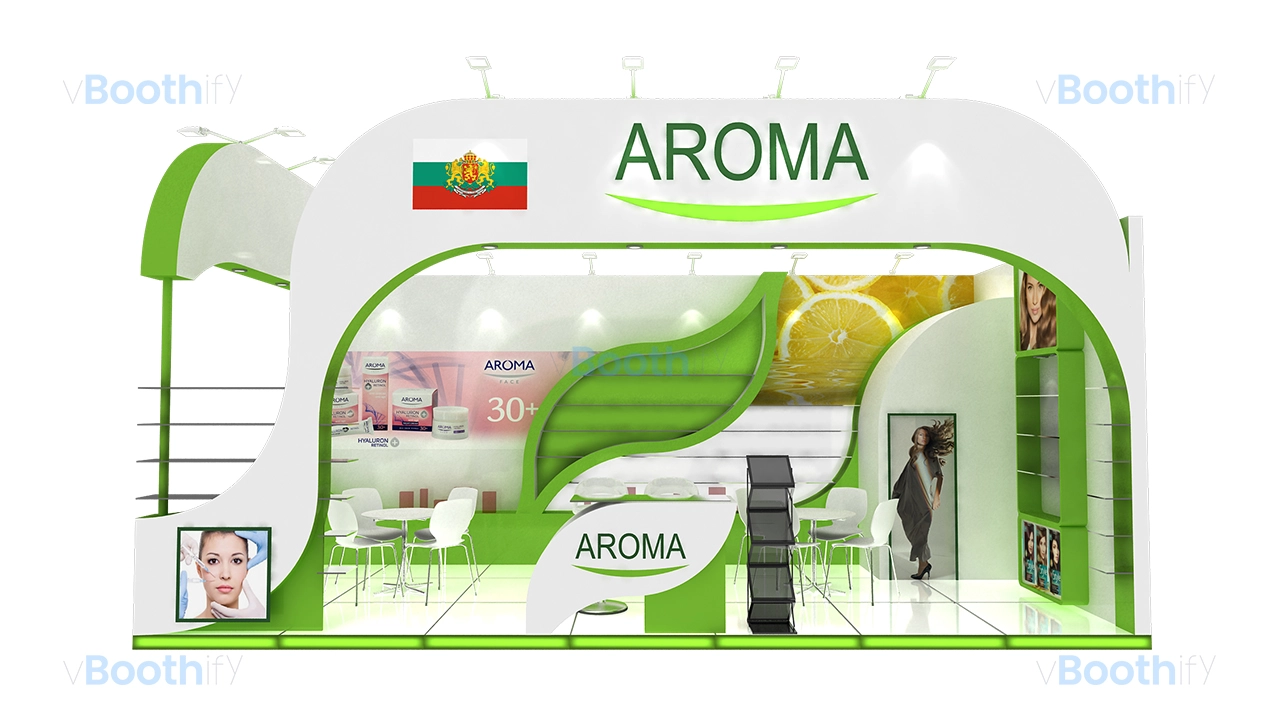
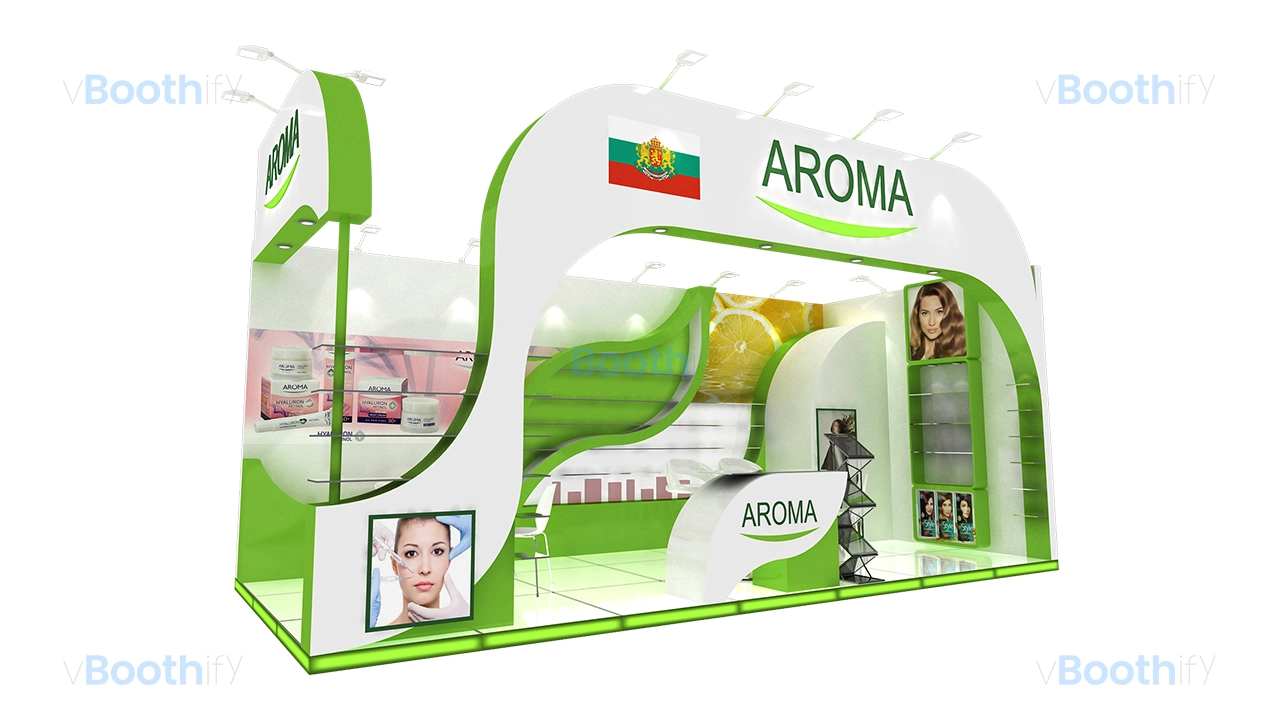
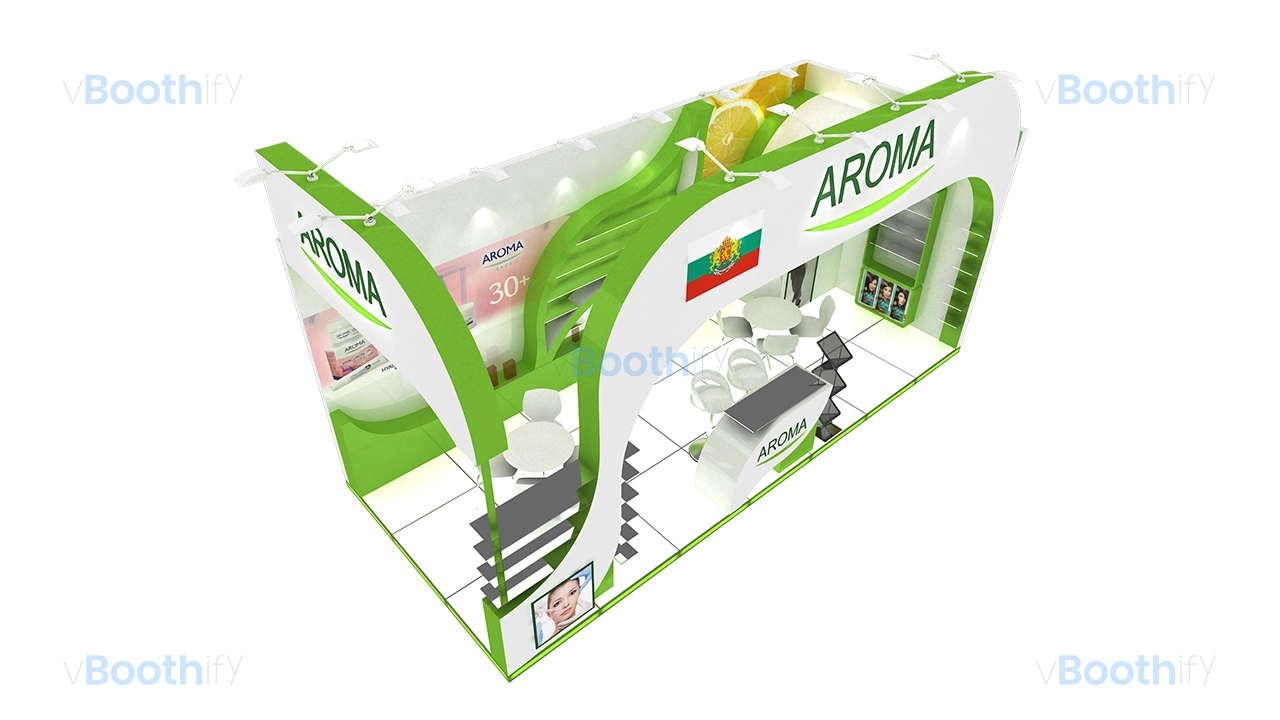
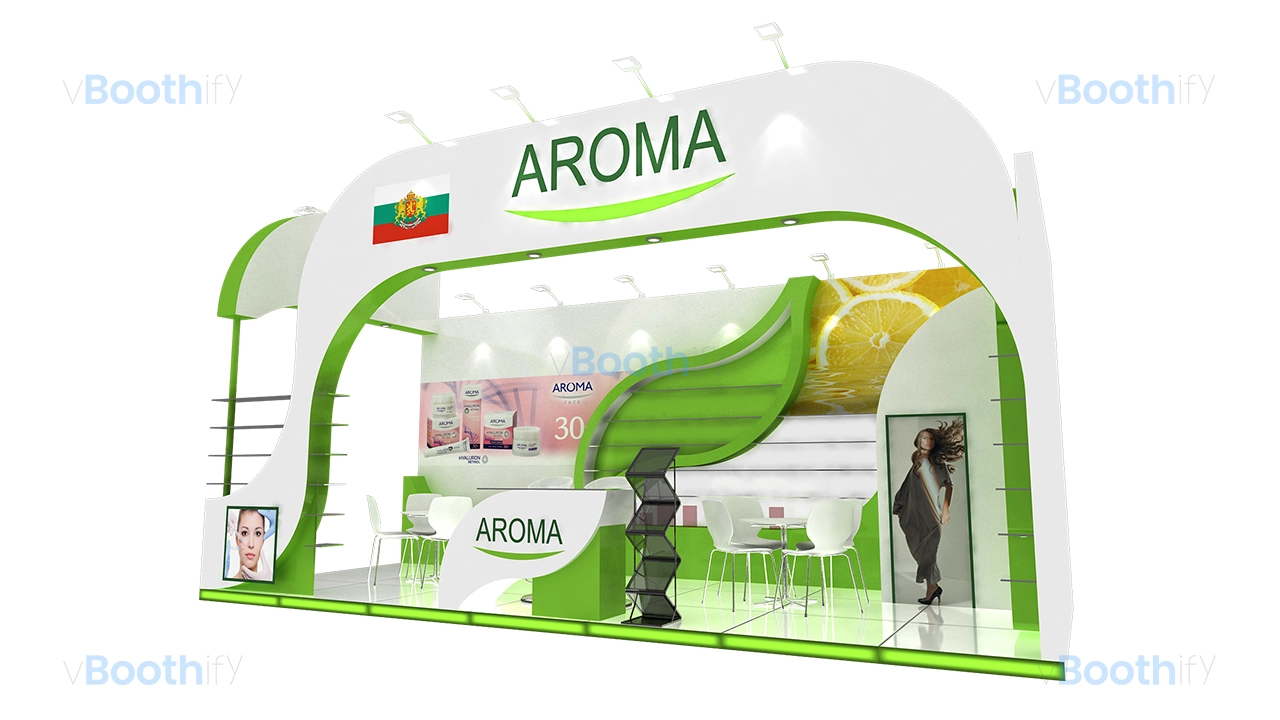
Secure your free 3D model download of this 21 sqm cosmetics custom wood fabrication 3d model. It features a curved fascia perfect for the beauty industry.

Company:
AROMA
Exhibition:
Beauty World Middle East
Industry:
Cosmetics & Beauty
Booth Type:
Custom Wood Fabrication
Quick View
Aera (sqm):
21 sqm
Size (m):
7m x 3m
Open Sides:
2 Sides Open
Venue:
DWTC, Dubai, UAE
Download Package
File Types:
Max, Obj, Fbx
Software:
3ds Max
Render Engine:
V-Ray
Poly Count:
Company:
AROMA
Exhibition:
Beauty World Middle East
Industry:
Cosmetics & Beauty
Booth Type:
Custom Wood Fabrication
Quick View
Aera (sqm):
21 sqm
Size (m):
7m x 3m
Open Sides:
2 Sides Open
Venue:
DWTC, Dubai, UAE
Download Package
File Types:
Max, Obj, Fbx
Software:
3ds Max
Render Engine:
V-Ray
Poly Count:
Design Narrative
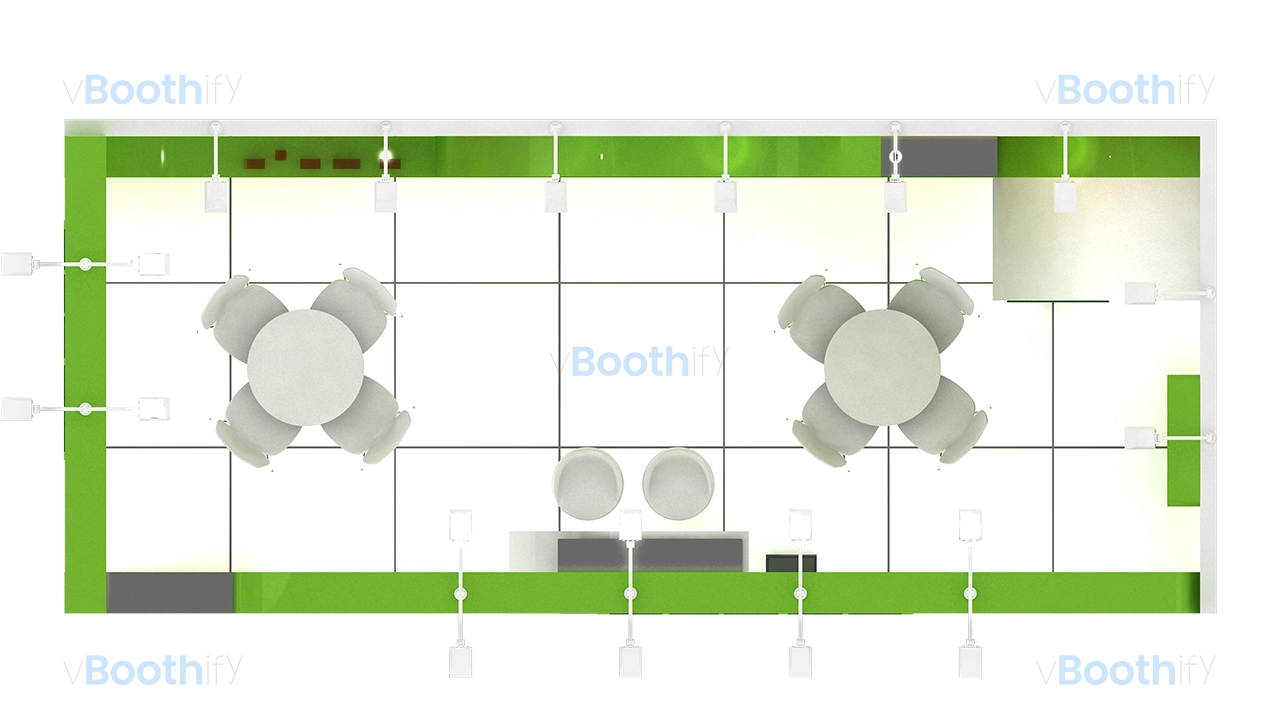
The spatial layout of this 21 sqm (7m x 3m) cosmetics custom wood fabrication 3d model is defined by a sweeping curvilinear overhead fascia that commands attention. Designed for optimal traffic flow, the structure utilizes a two-sided open configuration, welcoming visitors from the front and left aisles. A sleek reception counter with a glass top is positioned near the primary approach path, serving as an initial touchpoint. Beyond the reception, the floor plan opens to accommodate two distinct meeting areas with circular tables, providing comfortable zones for client consultations. Active engagement happens at the front, while a concealed storage room is discreetly tucked into the back right corner to maintain a clutter-free environment. Product display shelves are seamlessly integrated into the structural walls, maximizing vertical merchandising space without impeding pedestrian movement.Aesthetically, the booth employs a high-contrast, fresh color palette dominated by pure white (#FFFFFF) and vibrant leaf green (#66C144), reflecting a natural beauty brand identity. The primary focal point is the dramatic S-curve canopy spanning the length of the stand, proudly displaying a 3D cut backlit AROMA logo. The lighting design is multi-layered and highly effective. Long-arm exhibition spotlights extend from the top to wash the exterior branding, while recessed downlights are strategically placed within the canopy overhang to brightly illuminate the meeting spaces and product displays below. The lighting mood is energetic and clean, enhanced by large, glowing backlit digital graphics showcasing beauty imagery on the back walls. Grounding the structure is a crisp white melamine floor, distinctly bordered by ambient green LED skirting that creates a striking floating effect within this versatile cosmetics custom wood fabrication 3d model.
Customization Guide
This highly adaptable cosmetics custom wood fabrication 3d model allows you to tailor the distinct curvilinear structure to fit specific brand requirements. Built with clean geometry and organized object hierarchies, customizing this file in your preferred 3D software is a straightforward process. Whether you need to update the corporate branding, adjust the physical footprint for a different venue, or alter the lighting mood to suit an alternative industry sector, the structural components make modifications highly efficient. The 3D cut logos, digital graphic planes, and LED skirting are isolated elements. The following guidelines will help you quickly swap custom textures, logically modify the overall spatial dimensions, and fine-tune the ambient environmental lighting to match your upcoming trade show specifications perfectly.