
3D Model | Automotive Accessories Custom Wood Booth
Get a free 3D model download of this 45sqm automotive accessories custom wood 3d model. This 15x3m inline exhibition booth features unique display units.

Company:
SATBIR
Exhibition:
AUTOMECHANIKA
Industry:
Automotive Accessories
Booth Type:
Custom Wood Fabrication
Quick View
Aera (sqm):
Size (m):
15m x 3m
Open Sides:
1 Side Open
Venue:
DWTC, Dubai, UAE
Download Package
File Types:
Max, Obj, Fbx
Software:
3ds Max
Render Engine:
V-Ray
Poly Count:
65000
Company:
SATBIR
Exhibition:
AUTOMECHANIKA
Industry:
Automotive Accessories
Booth Type:
Custom Wood Fabrication
Quick View
Aera (sqm):
Size (m):
15m x 3m
Open Sides:
1 Side Open
Venue:
DWTC, Dubai, UAE
Download Package
File Types:
Max, Obj, Fbx
Software:
3ds Max
Render Engine:
V-Ray
Poly Count:
65000
Design Narrative
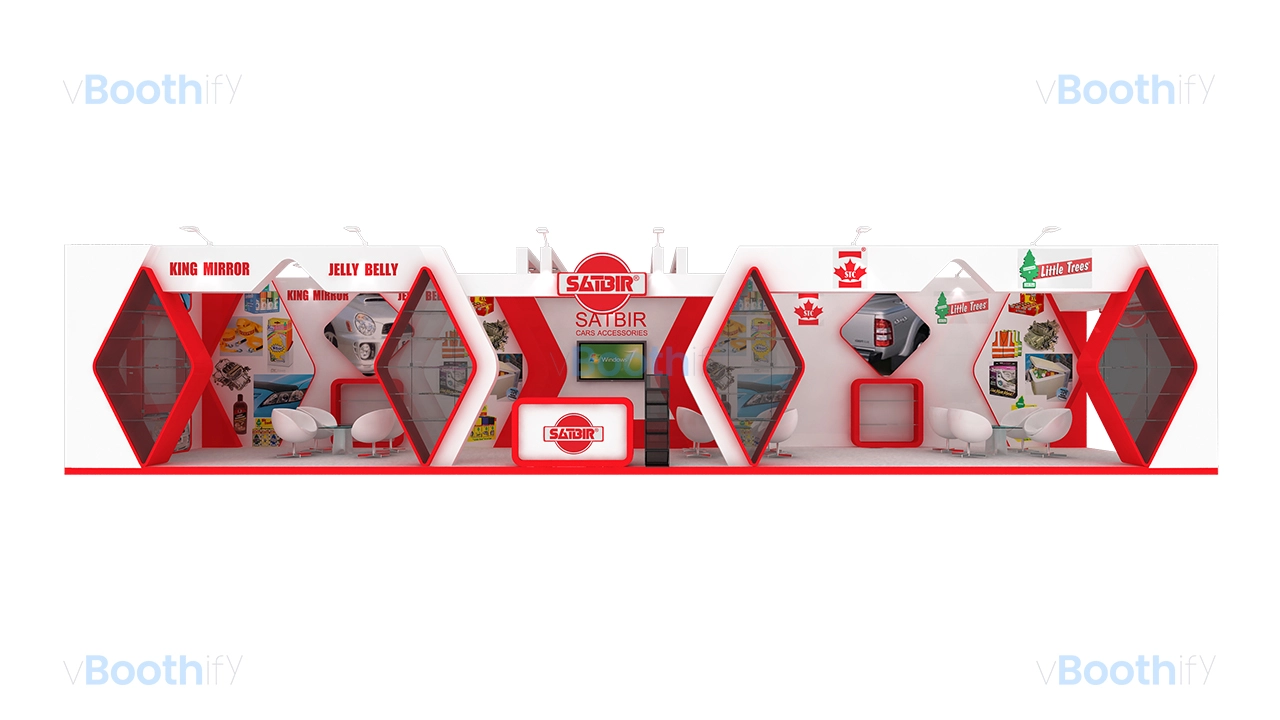
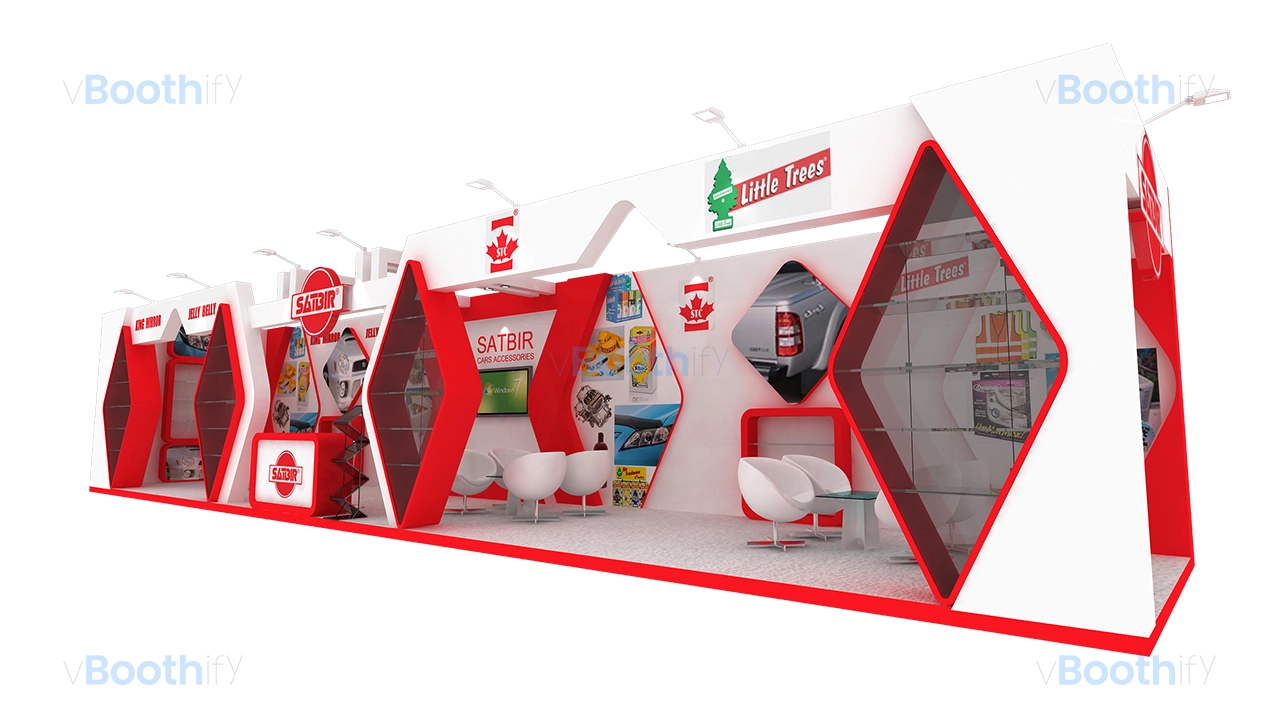
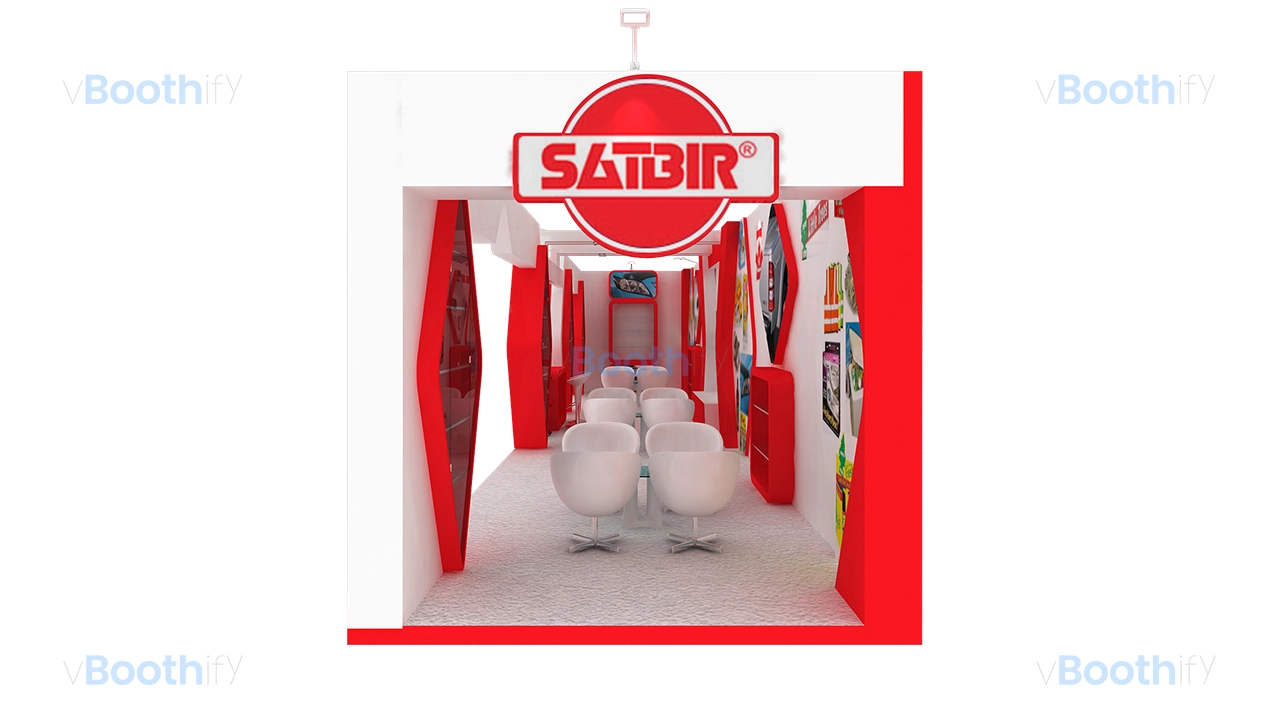
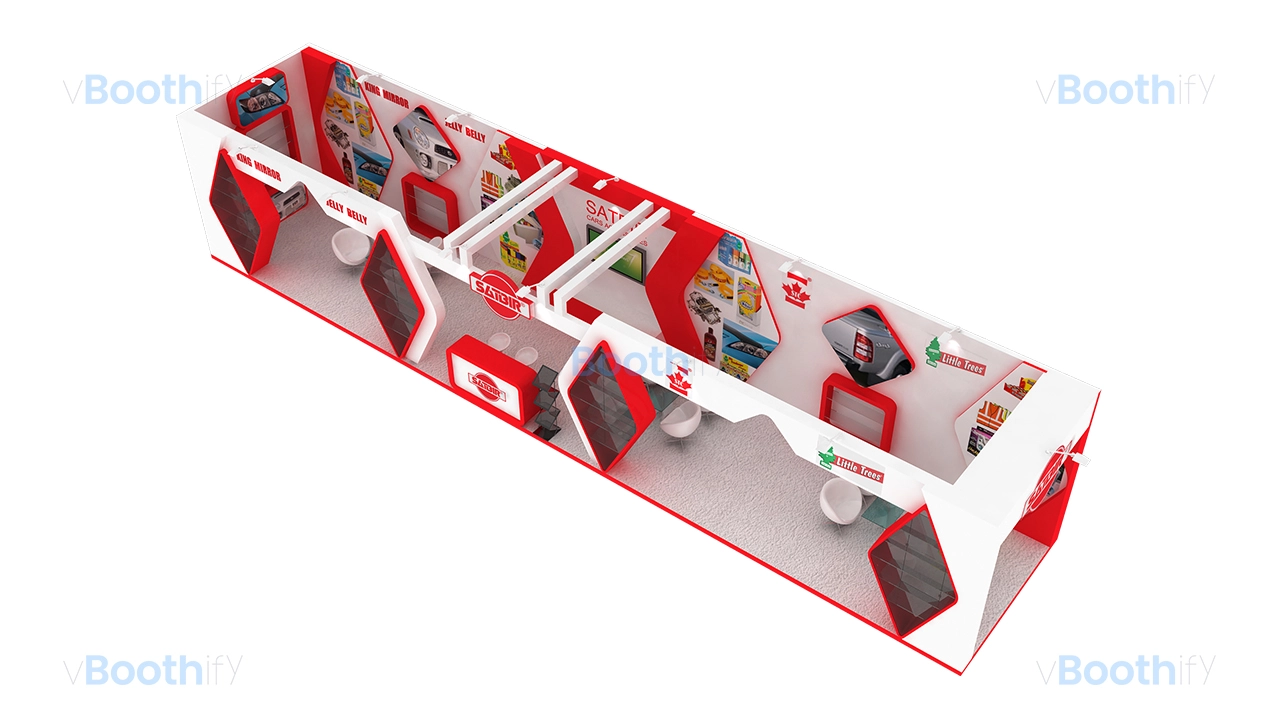
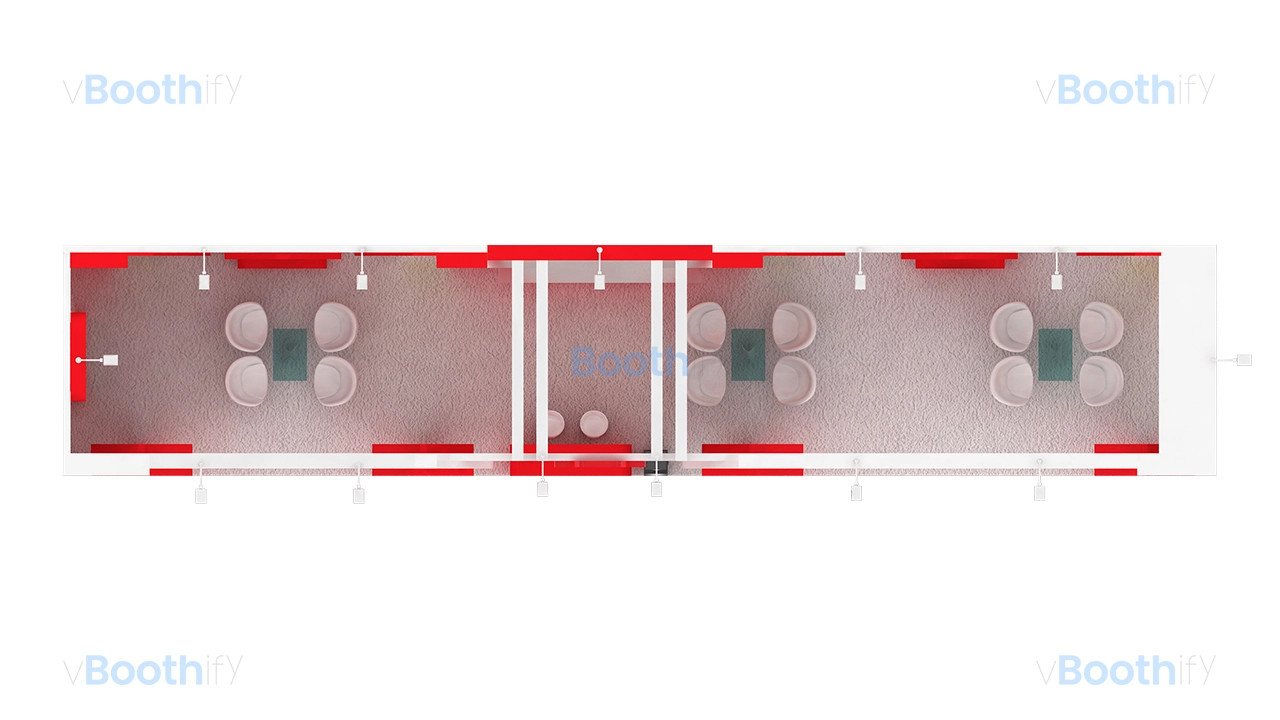
This inline exhibition booth maximizes its elongated 15m x 3m footprint through a highly structured, symmetrical spatial layout, perfectly visualized in this automotive accessories custom wood 3d model. Designed with an open frontage along its entire 15-meter length, the booth facilitates unimpeded visitor traffic flow and easy access from the aisle. The geometry is dominated by a heavy, continuous overhead fascia canopy that unifies the space. Breaking the linear monotony are prominent, oversized diamond or rhombus-shaped display units. These striking geometric volumes extend outward, serving dual purposes as structural dividers and multi-tiered glass shelving showcases for product display. The floor plan is strategically zoned, featuring a central reception counter backed by a 42-inch LED screen that acts as the primary interaction hub. Flanking this central axis are three distinct, semi-private meeting areas, each furnished with modern tub chairs and glass tables, allowing for concurrent client consultations without crowding the primary walkways.The color palette employs a high-contrast, energetic dual-tone scheme consisting of pure white (#FFFFFF) and an aggressive crimson red (#DD1D21). This stark contrast ensures high visibility and immediate brand recognition across the exhibition hall. The lighting mood is bright and commercial, achieved through a series of long-arm halogen spotlights mounted along the top edge of the fascia to wash the graphic backwalls and logos with even illumination. Additionally, subtle integrated accent lighting creates a red halo effect within the interior recesses of the diamond display frames, drawing the viewer’s eye directly to the product shelves. The definitive focal point of the design is the central staging area, highlighted by a glowing 3D cut-out SATBIR logo mounted prominently on the fascia, directly above a matching branded reception desk and the primary digital presentation screen, making this the ideal automotive accessories custom wood 3d model.
Customization Guide
Customizing this automotive accessories custom wood 3d model is straightforward and requires minimal effort to match your specific corporate identity. Built with modularity in mind, this asset is highly adaptable for various retail or tech brands looking for a premium aesthetic. The scene is organized logically with named materials and separated structural elements. You can easily replace the existing placeholder graphics, such as the digital back-wall posters and cut-out logos, with your own branding assets. Additionally, the structural geometry, including the signature diamond display units and the overhead canopy, can be scaled or modified to fit different floor space requirements. The lighting setup is also fully adjustable to help you achieve the exact mood required for your final render.