
3D Model | Automotive Booth Design | Customization Available
Get your free 3D model download of this 12x3m automotive custom wood fabrication 3D model. It is ideally designed for the Automotive & Spare Parts industry.

Company:
SBK – Abdul Zahir Bashir Gen. Trdg. L.L.C. BR.
Exhibition:
Automechanika
Industry:
Automotive & Spare Parts
Booth Type:
Custom Wood Fabrication
Quick View
Aera (sqm):
36 sqm
Size (m):
12m x 3m
Open Sides:
1 Side Open
Venue:
DWTC, Dubai, UAE
Download Package
File Types:
Max, Obj, Fbx
Software:
3ds Max
Render Engine:
V-Ray
Poly Count:
38500
Company:
SBK – Abdul Zahir Bashir Gen. Trdg. L.L.C. BR.
Exhibition:
Automechanika
Industry:
Automotive & Spare Parts
Booth Type:
Custom Wood Fabrication
Quick View
Aera (sqm):
36 sqm
Size (m):
12m x 3m
Open Sides:
1 Side Open
Venue:
DWTC, Dubai, UAE
Download Package
File Types:
Max, Obj, Fbx
Software:
3ds Max
Render Engine:
V-Ray
Poly Count:
38500
Design Narrative
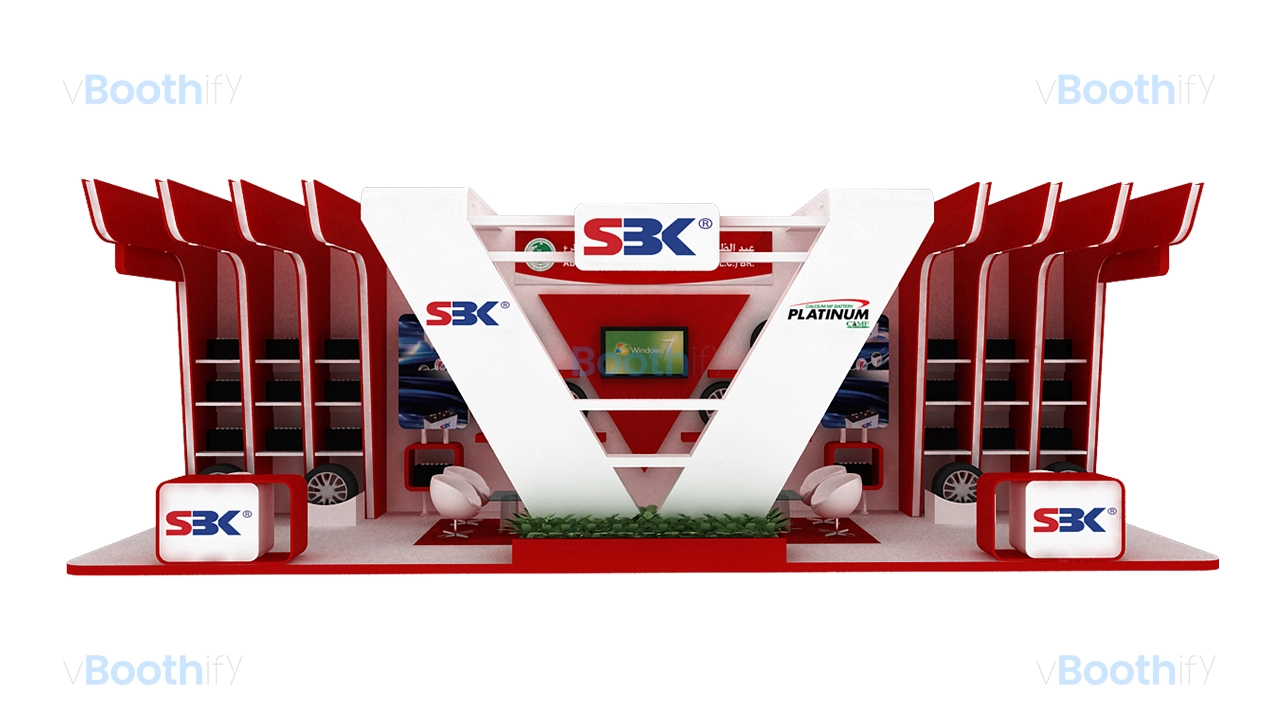
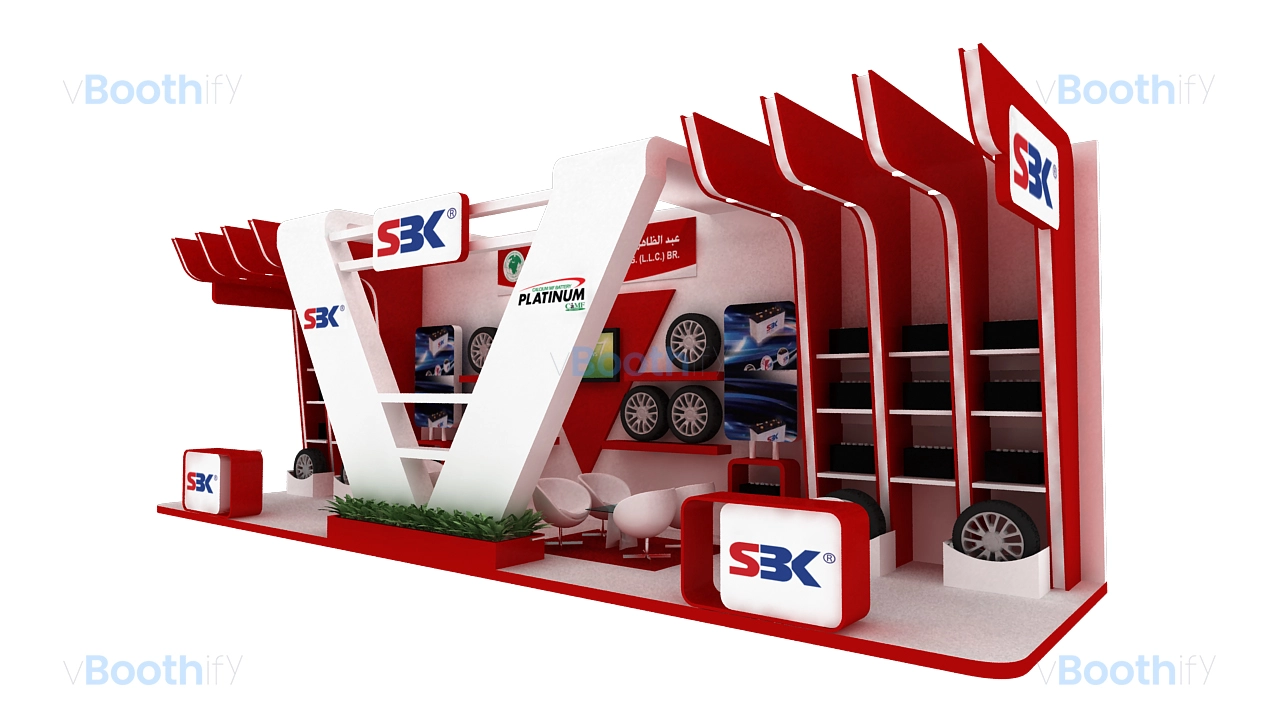
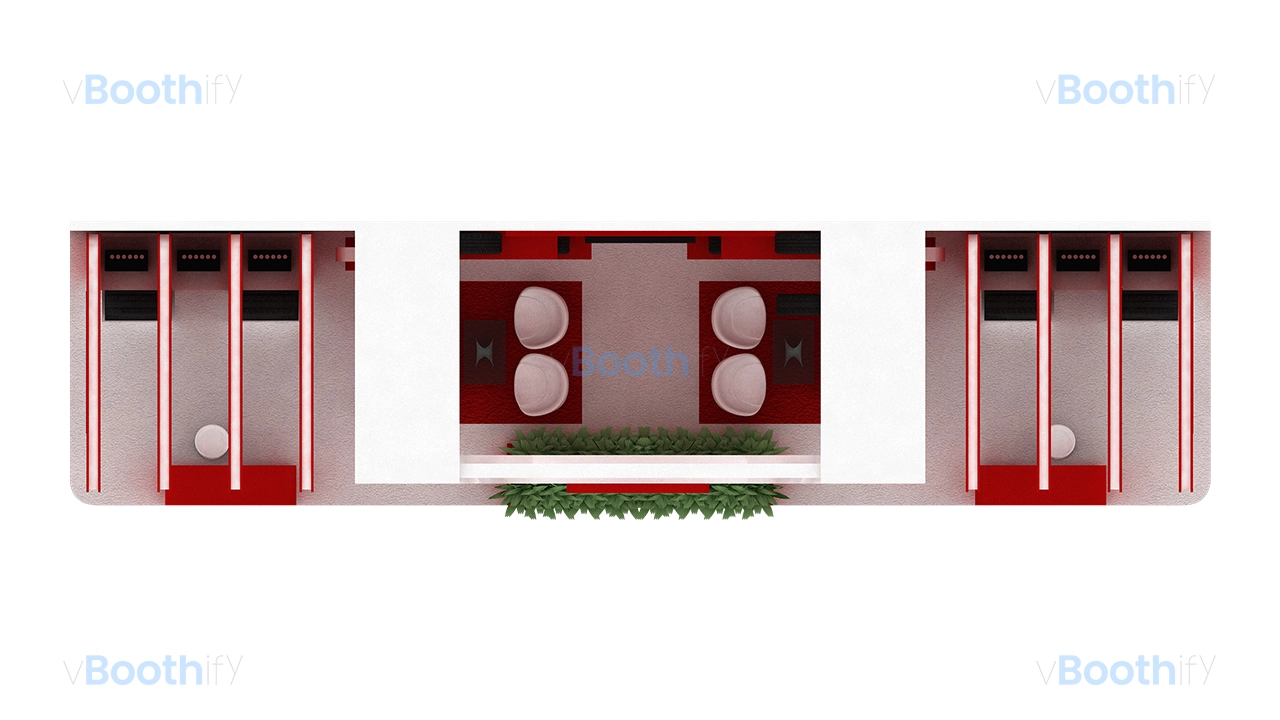
The 12m by 3m open-front exhibition stand serves as an exceptional automotive custom wood fabrication 3D model, utilizing a linear 36-square-meter layout with a clear single-direction visitor flow. The architectural structure is anchored by a dynamic central V-shaped white geometric frame measuring 4 meters in height that spans the center of the booth. Flanking this central focal frame are symmetrical wing displays on both sides, featuring red overhead vertical fins extending outward toward the aisle. The layout integrates two low reception desks with rounded corners at the front left and front right positions, directing traffic into the interior zone. The back wall features recessed horizontal shelving bays engineered specifically for automotive battery display, supplemented by circular wall mounts for tires. In the middle section behind the primary V-frame, a semi-private meeting area is equipped with white tub chairs, a glass coffee table, an integrated planter box, and a wall-mounted 60-inch LED screen for digital multimedia presentations.The color scheme employs a high-contrast automotive palette dominated by vivid red (#D31018) for the accent fins, shelves, and base counters, balanced by crisp clean white (#FFFFFF) across the main geometric V-structure and floor surface. Dark gray and black (#222222) elements appear in product textures and screen bezels, establishing strong visual depth. Lighting is designed with overhead spotlights embedded directly into the lower surfaces of the projecting red fins, casting focused downlighting onto the product display shelves and tire mounts. The central meeting zone is illuminated by ambient glow from integrated fascia lighting, highlighting the primary white logo branding mounted on the back wall and top headers. Ultimately, these premium technical details ensure this download remains a top-tier automotive custom wood fabrication 3D model.
Customization Guide
This automotive custom wood fabrication 3D model is structured for seamless customization in leading design software like 3ds Max, Maya, or Blender. The highly modular geometry is meticulously organized into logical layers, carefully separating the core structural frames, branding graphics, product shelves, and interior furniture assets. Designers can easily modify detailed textures, adjust the spatial dimensions, and instantly swap corporate branding logos without ever breaking the established UV coordinates or complex lighting rigs. These native structural advantages significantly reduce your standard rendering times while providing maximum creative flexibility for demanding client requirements. Below are the standard, easy-to-follow steps required to efficiently adapt this premium booth file for your specific trade show exhibition requirement.